Privacy by Design: Why We Process Audio Locally
In an era where "the cloud" is the default destination for unknown data, many users are rightly cautious about granting microphone access. We built this tuner and metronome tooling with a different philosophy: your audio stays on your device. This article explains how and why.
What is client-side audio processing?
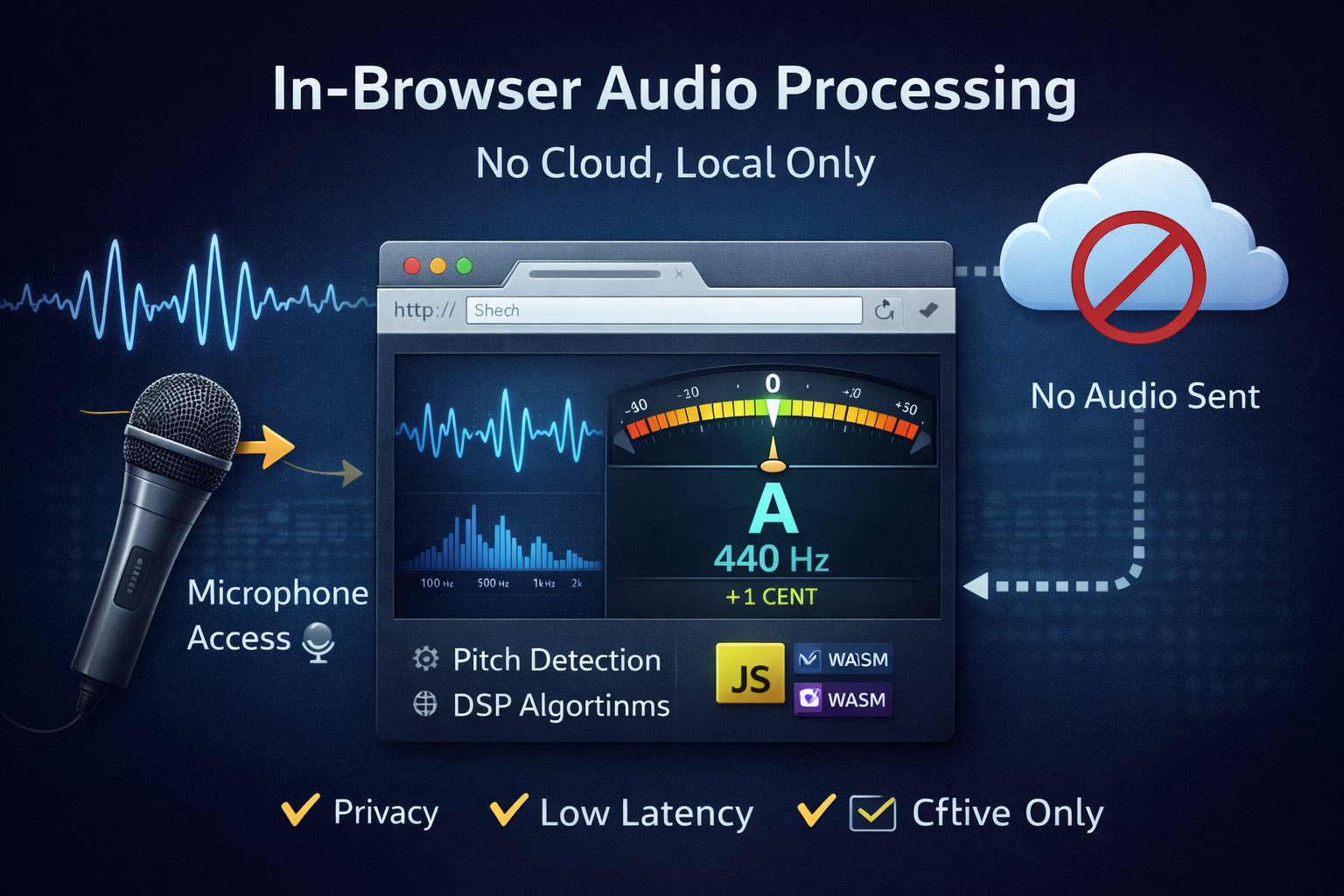
Client-side audio processing means that audio capture, analysis, and feature extraction (pitch detection, beat detection, spectrogram computation) all happen inside the user's browser or device. No raw audio is uploaded to any remote server for processing. The browser APIs (Web Audio API, AudioWorklet) and local compute (JavaScript + WebAssembly) are used to implement real-time algorithms.
How it works — a simple signal flow
- Capture: Browser requests microphone access via
getUserMedia(). - Process: An
AudioWorkletor worker performs sample-accurate analysis (YIN, autocorrelation, HPS, etc.). - Display: Visual feedback (needle, waveform, tuning bar) is rendered in the UI with low-latency updates.
- (Optional) Small telemetry (non-sensitive usage stats) can be sent if the user opts in — never raw audio.
Why local processing matters
There are three strong reasons to process audio locally: privacy, latency, and reliability.
- Privacy: If audio never leaves the device, there is no recording on a server that could be leaked, subpoenaed, or misused.
- Latency: Local processing eliminates the network round trip. Real-time feedback (under ~20ms) is achievable on modern devices.
- Reliability: The tool can run offline or on unstable networks; musicians can practice anywhere.
Technologies we use
Modern browsers provide two critical capabilities: the Web Audio API for routing and scheduling, and AudioWorklet for low-jitter, high-priority audio processing on a separate thread. For heavier math (FFT, convolution) we sometimes compile C/C++ to WebAssembly (WASM)for faster execution.
// minimal pattern to register an AudioWorklet
await audioContext.audioWorklet.addModule('/worklets/pitch-processor.js');
const node = new AudioWorkletNode(audioContext, 'pitch-processor');
mediaStreamSource.connect(node);
node.port.onmessage = (e) => { /* pitch updates */ };
Fallbacks and progressive enhancement
Not every browser supports AudioWorklet (older ones may only support ScriptProcessorNode). We detect capabilities at runtime and gracefully fallback to a slightly higher-latency but functional method. Progressive enhancement ensures the core experience works widely while modern browsers get the best performance.
Performance considerations
Local audio work must balance CPU, memory, and battery. Some practical tuning knobs:
- Buffer size: smaller buffers = lower latency but more CPU. Choose defaults based on device type.
- Algorithm quality: allow the user to select "Studio" (high quality, higher CPU) or "Live" (fast, light smoothing).
- WASM acceleration: heavy DSP (e.g., high-resolution FFTs) can be compiled to WASM for large speedups on desktop.
Security and trust — what we don't do
Transparency is essential. We explicitly do not:
- Record or store raw audio on remote servers by default.
- Send raw audio for processing without user consent and a clear opt-in.
- Share user audio with third parties.
Privacy checklist for developers
- Declare microphone use clearly in the UI before calling
getUserMedia(). - Document what data (if any) is sent to servers; prefer aggregated non-sensitive telemetry.
- Provide an explicit toggle for any opt-in cloud features (e.g., "Upload recordings").
- Open-source critical parts so auditors can confirm no hidden uploads.
Testing & validation
Test on a matrix of devices (desktop, mid-range phone, low-end phone), browsers (Chromium, Safari, Firefox), and under constrained CPU conditions (other tabs open). Include automated unit tests for DSP functions (frequency detection, windowing), and smoke tests that verify the UI responds when a mock audio stream is injected.
Battery & mobile tip
Mobile devices throttle background work aggressively. To give the best mobile experience:
- Keep UI rendering efficient (avoid per-sample DOM updates — batch at animation frames).
- Allow users to disable visualizers to save battery during long practice sessions.
Want to see the code?
We publish the core audio worklet and DSP helpers in our public repo. If you're building similar tools and want pointers or a code review, contact us.